
Phone: +86 15398058207
E-mail: sales@flexiturn.com
Add: Room 603 Building C, The Huixin Center, Zhangba One Road, Yanta Zone, Xi'an City, Shaanxi Province, China
How to Get an Accurate Online CNC Machining Quote
Getting an accurate online CNC machining quote is one of the most practical skills a design engineer, procurement specialist or product developer can develop. An accurate quote tells you what the part will really cost, how long it will take and whether your design is manufacturable at a reasonable price. An inaccurate quote does the opposite: it creates false expectations, leads to budget overruns, causes schedule delays and damages trust between buyer and supplier.
The problem is that many quote requests are incomplete. They include a rough 3D model but no tolerances. They specify a material but not the surface finish. They ask for "a hundred or so" parts without clarifying whether that means 100 or 500. The supplier then has to make assumptions. Some assumptions are conservative and inflate the price. Others are optimistic and lead to problems later. Either way, the quote is not a reliable basis for a decision.
This guide explains how to prepare an online CNC machining quote request so that you get an accurate, comparable and useful response. It covers the information suppliers need, how to present CAD files, how tolerances and finishes affect price, how to structure quantities and how to compare quotes from different suppliers. The goal is simple: fewer surprises, better prices and faster project starts.
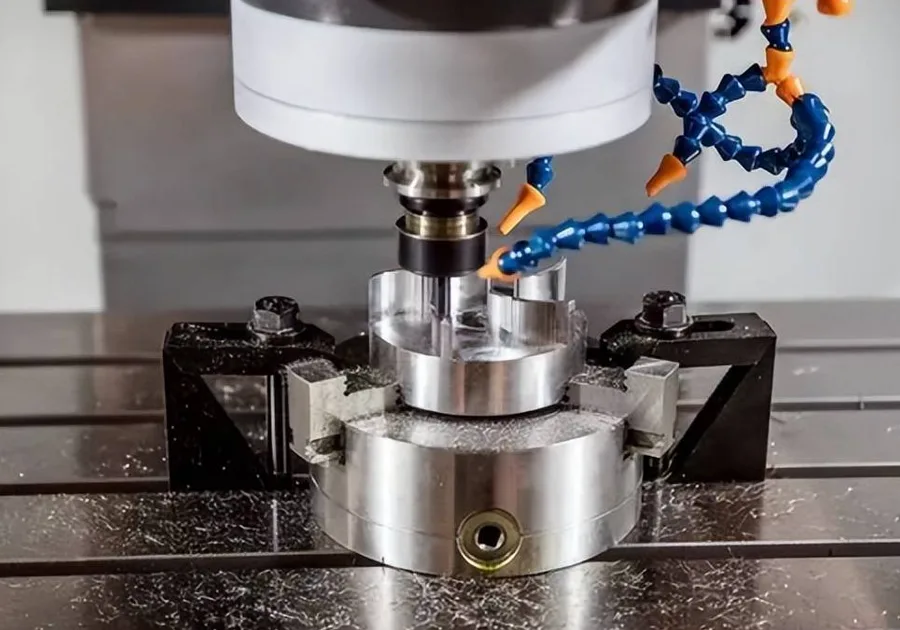
FlexiTurn provides online CNC machining services with 3-, 4- and 5-axis milling and turning, and we see quote requests of every quality level. This article shares what makes a quote request easy to price accurately—and what makes it difficult.
Why Accurate Quotes Are Hard to Get
Before explaining how to improve your quote request, it is worth understanding why inaccurate quotes are so common. There are several reasons.
Information gaps. The supplier may not receive complete drawings or specifications. If tolerances, material grades or finishes are missing, the supplier has to guess. Guessing leads to either over-pricing (to protect against risk) or under-pricing (which leads to renegotiation or quality problems later).
Ambiguous scope. "Prototype quantity" can mean 1 part, 5 parts or 20 parts. "Production quantity" can mean 100, 1,000 or 10,000. Each quantity has a very different cost structure. If the quantity is unclear, the supplier may quote a range or pick an arbitrary number.
Design complexity not visible in a model. A 3D model shows geometry but not tolerances, surface finish, material, heat treatment or inspection requirements. Two parts with identical geometry can have very different costs depending on these specifications.
Supplier capability differences. A supplier with five-axis machines may price a complex part lower than a supplier with only three-axis machines, because the five-axis supplier can machine it in fewer setups. But if the request does not clarify the geometry requirements, the supplier may not know which capability is needed.
Currency, logistics and payment terms. International quotes involve currency conversion, shipping costs, duties and payment terms. If these are not clarified, the quoted price may not reflect the true landed cost.
Workload and capacity. A supplier with a full order book may quote higher to discourage new work, or may quote a longer lead time. This is not a reflection of the part's true cost but of the supplier's current situation.
Understanding these factors helps you structure your request to reduce ambiguity and get a quote that reflects the real cost.
Information You Need to Prepare Before Requesting a Quote
A complete quote request includes several categories of information. The more complete the request, the more accurate the quote.
1. CAD files and drawings. The 3D model (STEP, IGES, X_T, SolidWorks, etc.) defines the geometry. A 2D drawing defines the tolerances, surface finish, material, heat treatment and inspection requirements. Ideally, provide both. A 3D model alone is sufficient for simple parts with standard tolerances, but for precision parts, a 2D drawing is essential.
2. Material specification. Specify the exact material grade, not just the family. "Aluminum" is not enough; specify 6061-T6 or 7075-T651. "Stainless steel" is not enough; specify 304, 316L or 17-4PH. Material grade affects machinability, strength, corrosion resistance and cost. If you are unsure which grade to use, ask the supplier for a recommendation—but be clear about the functional requirements.
3. Tolerances. Specify the tolerances for critical dimensions. If a general tolerance applies, state it (for example, "general tolerance ±0.1 mm unless otherwise specified"). If specific dimensions require tighter tolerances, mark them on the drawing. Over-specifying tolerances increases cost; under-specifying them risks functional problems. A good drawing distinguishes between critical and non-critical dimensions.
4. Surface finish. Specify the required surface roughness (Ra) for functional surfaces and the required appearance for cosmetic surfaces. If the part will be anodized, painted or plated, specify the finish type, color and any masking requirements.
5. Surface treatment and post-processing. Anodizing, electroplating, sandblasting, polishing, painting, silk-screening, laser engraving and heat treatment all add cost and lead time. Specify which treatments are required and any standards they must meet.
6. Quantity. Specify the quantity for the first order and any expected annual volume. If you need prototypes first, say so. If you expect to scale to production, mention it—suppliers may quote a lower price for larger volumes or offer a prototype-to-production transition plan.
7. Delivery requirements. Specify the required delivery date, destination and shipping method. If the part is urgent, say so; the supplier may be able to prioritize it. If the part is not urgent, the supplier may be able to offer a lower price by fitting it into available capacity.
8. Quality and documentation requirements. Specify whether you need first article inspection (FAI), material certificates, certificates of conformity, dimensional reports or other documentation. For regulated industries, specify the standards that must be met.
9. Any special requirements. This might include confidentiality (NDA), packaging requirements, labeling, traceability or specific inspection methods.
A quote request that includes all of this information is much easier to price accurately than one that includes only a 3D model.
How to Present Your CAD Files
The way you present CAD files affects how quickly and accurately a supplier can quote. A few practical guidelines:
Use a neutral format for quoting. STEP (.step or .stp) is widely supported and preserves geometry well. IGES is also common but can lose some feature information. Native CAD files (SolidWorks, Inventor, etc.) are useful if the supplier uses the same software, but neutral formats are safer for initial quoting.
Include a 2D drawing in PDF format. The PDF drawing should include dimensions, tolerances, material, surface finish, quantity and any notes. Make sure the drawing revision matches the 3D model revision.
Name files clearly. Use a consistent naming convention that includes the part number, revision and description. For example: "PN-12345_Rev-B_Bracket.step" and "PN-12345_Rev-B_Bracket.pdf". This reduces confusion and speeds up the quoting process.
Organize multi-part assemblies. If you are requesting quotes for multiple parts or an assembly, organize the files in a folder structure with a clear index. Specify which parts are included in the quote and whether assembly is required.
Include a bill of materials (BOM). For multi-part projects, a BOM listing part numbers, descriptions, materials, quantities and finishes helps the supplier understand the full scope.
Check for model integrity. Before sending, check that the 3D model is watertight, has no missing surfaces and represents the part accurately. A flawed model can lead to incorrect quotes or production errors.
A well-organized quote package signals professionalism and helps the supplier respond quickly. It also reduces the chance of misinterpretation.
How Tolerances Affect Price
Tolerances are one of the biggest cost drivers in CNC machining. Understanding the relationship between tolerance and cost helps you specify tolerances that meet functional requirements without over-paying.
Standard tolerances are relatively inexpensive. They are achievable with normal machining practices and standard inspection. Typical standard tolerances for CNC machining are around ±0.1 mm for general dimensions, depending on the machine and material.
Tight tolerances require more careful machining, slower cutting speeds, more frequent inspection and sometimes additional operations such as grinding or lapping. A tolerance of ±0.01 mm or tighter can significantly increase cost.
Geometric tolerances such as flatness, parallelism, perpendicularity, concentricity and position add complexity. They require careful setup and inspection, and they may require specialized measuring equipment such as a CMM.
Surface finish tolerances also affect cost. A rough finish is inexpensive; a fine finish (Ra 0.8 or better) may require additional finishing operations.
The practical rule is to specify tight tolerances only where they are functionally necessary. Ask yourself: does this dimension really need to be ±0.02 mm, or would ±0.1 mm work? If you are unsure, discuss it with the supplier's engineering team. They can often suggest tolerance adjustments that reduce cost without affecting function.
A good drawing distinguishes between critical dimensions (which require tight tolerances) and non-critical dimensions (which can use general tolerances). This helps the supplier focus precision where it matters and avoid unnecessary cost.
How Material Choice Affects Price
Material choice affects both material cost and machining cost. Some materials are more expensive to buy; others are more expensive to machine.
Aluminum is relatively inexpensive and easy to machine. It is a common choice for prototypes and production parts where weight and corrosion resistance matter. Common grades include 6061 and 7075.
Stainless steel is more expensive than aluminum and harder to machine, especially grades like 316L and 17-4PH. It is used where corrosion resistance and strength are required.
Titanium is expensive and difficult to machine. It requires specialized tooling, slower cutting speeds and careful heat control. It is used in aerospace, medical and high-performance applications.
Brass and copper are easy to machine but can be more expensive than aluminum. They are used for electrical and thermal applications.
Engineering plastics such as POM, PEEK and ABS are generally easy to machine but can be expensive depending on the grade. They are used for lightweight, insulating or chemically resistant parts.
When requesting a quote, specify the material grade and consider whether an alternative grade could meet your requirements at a lower cost. The supplier can often suggest alternatives based on availability and machinability.
How Quantity Affects Price
Quantity has a major effect on unit price. The reason is that setup time, programming time and tooling costs are fixed per order. When these costs are spread across a larger quantity, the unit price drops.
Prototype quantities (1–10 parts) are dominated by setup and programming costs. The unit price is high, but the total cost is low. Prototypes are used to validate design, fit and function before committing to production.
Small batch quantities (10–100 parts) benefit from some setup amortization. The unit price drops compared with prototypes, but setup is still a significant portion of the cost.
Production quantities (100–10,000+ parts) benefit from full setup amortization, optimized tooling and production efficiency. The unit price is much lower, but the total order value is higher.
When requesting a quote, specify the quantity you need now and any expected future volume. Suppliers may offer price breaks at different quantities. For example, a quote might show a price for 1–10 parts, 11–100 parts and 101–1,000 parts. This helps you plan and budget.
It is also worth asking about the cost of additional parts beyond the quoted quantity. Sometimes the marginal cost of extra parts is low once setup is complete.
How Surface Finish and Treatment Affect Price
Surface finish and treatment add cost through additional processing, handling and inspection. The cost depends on the treatment type, the part geometry and the quantity.
Anodizing adds a corrosion-resistant and decorative layer to aluminum parts. It requires pre-treatment, racking, anodizing, sealing and inspection. Cost depends on the part size, finish type (clear, black, colored) and any masking requirements.
Electroplating adds a metal layer such as nickel, chrome or zinc. It requires similar processing steps and can be more expensive than anodizing depending on the metal.
Sandblasting creates a uniform matte finish. It is relatively inexpensive but requires masking of surfaces that should not be blasted.
Polishing creates a smooth, reflective finish. It can be labor-intensive, especially for complex geometries.
Painting adds a colored or protective layer. It requires surface preparation, masking and curing.
Silk-screening and laser engraving add markings such as logos, part numbers or instructions. They require setup and programming but are relatively inexpensive per part.
When requesting a quote, specify the finish type, color, standard and any masking requirements. If you are unsure which finish to use, ask the supplier for recommendations based on the application.
Comparing Quotes Fairly
Once you receive quotes from multiple suppliers, compare them fairly. The lowest price is not always the best value. Consider the following factors:
Scope. Make sure all quotes cover the same scope: same material, same tolerances, same finish, same quantity and same inspection. A quote that excludes finishing or inspection may look cheaper but is not comparable.
Lead time. A lower price with a much longer lead time may not be worth it if you need the parts soon. Consider the cost of waiting.
Quality and documentation. A quote that includes FAI, material certificates and inspection reports may be more expensive but provides better assurance. For regulated industries, this is essential.
Communication. A supplier who responds quickly and clearly during quoting is likely to communicate well during production. A supplier who is slow or vague is a risk.
Payment terms. Payment terms affect cash flow. A supplier who requires full payment upfront may be less attractive than one who accepts a deposit and balance on delivery.
Shipping and duties. Landed cost includes shipping, duties and taxes. A quote with a lower unit price but higher shipping cost may not be the best deal.
Track record. Consider the supplier's experience, references and certifications. A supplier with a strong track record in your industry is a safer choice.
A structured comparison table can help you evaluate quotes objectively.
Common Mistakes in Quote Requests
Several mistakes appear repeatedly in quote requests:
- Sending only a 3D model with no tolerances, material or finish specification.
- Using ambiguous quantities such as "a few" or "some".
- Specifying material by family rather than grade.
- Omitting surface finish or leaving it to the supplier's default.
- Over-specifying tolerances that are not functionally necessary.
- Forgetting to specify inspection or documentation requirements.
- Not mentioning the delivery destination or required delivery date.
- Failing to confirm the drawing revision.
- Not asking about lead time until after the quote is accepted.
Avoiding these mistakes improves the accuracy of the quote and reduces the risk of problems later.
How to Speed Up the Quoting Process
A few practical steps can speed up the quoting process:
- Prepare a complete quote package before contacting suppliers.
- Use a standard quote request template that includes all required information.
- Respond promptly to supplier questions.
- Be clear about priorities (cost, lead time, quality) so the supplier can optimize accordingly.
- Ask for a preliminary quote if some details are still being finalized.
- Provide feedback on quotes so the supplier understands your decision criteria.
A supplier who receives a complete, well-organized request can often quote within one or two business days.
An accurate online CNC machining quote depends on a complete, clear quote request. Provide 3D models and 2D drawings, specify material grades, tolerances, surface finishes, quantities and delivery requirements, and organize your files professionally. Compare quotes on equal scope, consider lead time and quality alongside price, and avoid common mistakes such as ambiguous quantities or over-specified tolerances.
A well-prepared quote request saves time, reduces cost and builds trust with the supplier. It also helps you make better decisions about design, material and manufacturing process.
FlexiTurn provides online CNC machining services with 3-, 4- and 5-axis milling and turning, surface treatment and pre-machined blanks. Our team can review your drawings, provide DFM feedback and quote your project accurately. Contact us with your CAD files and requirements to get started.
- 5-Axis CNC Machining Service: When Do You Need It?
- How to Get an Accurate Online CNC Machining Quote
- Breaking New Ground in High-Precision CNC Machining
- CNC Machining in the Electronics Industry
- Why Are Deep Cavities Difficult to CNC Machine?
- What Causes Dimensional Variation in CNC Machined Parts?
- CNC Machining Tolerances: What Accuracy Does Your Part Really Need?
- Why Do CNC Machining Quotes Differ Between Suppliers?